by Damiaan Peeters
5. December 2007 17:31
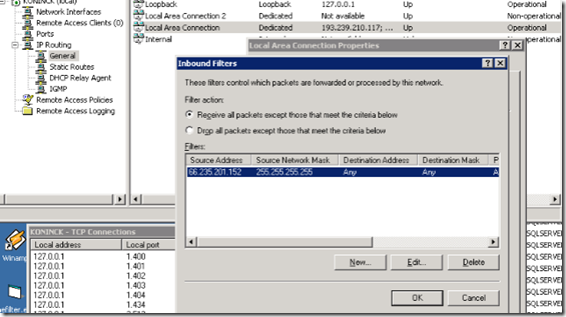
If you want to block a ip address in windows Server 2003, you can do this fairly easy by setting an inbound filter for that particular IP address.
Go to the
Administering Routing and Remote Access Service
choose there the - IP filtering - General - the network connection - properties - inbound filter.